Platform admin
Platform admins run the instance: they see all clans, events and users, and change the platform settings. The first account is always admin; more can be added with the Admin emails setting or the admin CLI.
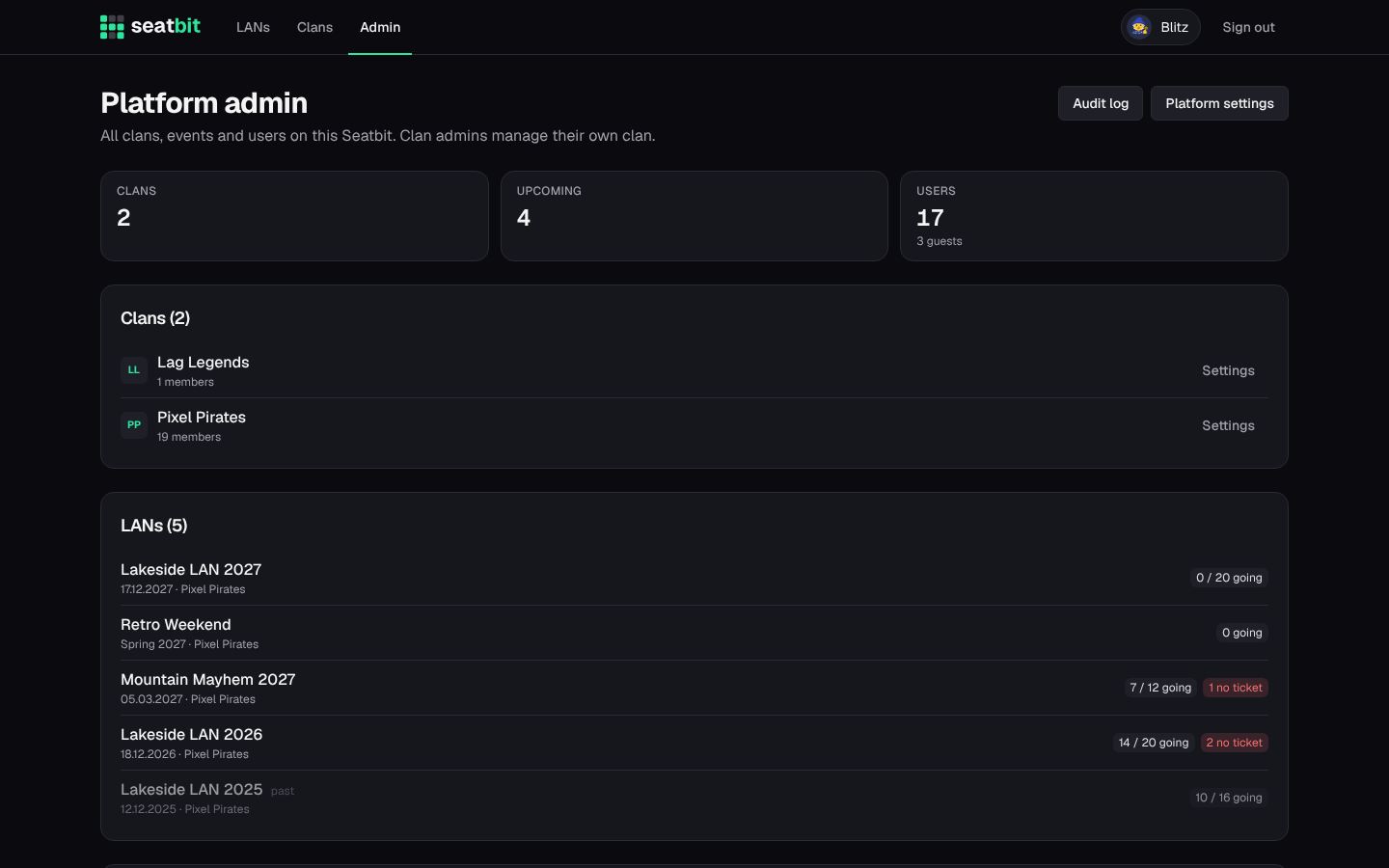
The Admin page lists all clans, events and users. Make someone admin or take it away in the user list. Deleted accounts don't show up there (only their count). Audit log shows the log of every clan plus platform changes (settings by name, never their values, platform roles, mail templates, deleted accounts); filter by clan or kind of change. Platform settings has the tabs Email, Discord, Sign-up & admins, Reminders, Operator & legal, Mail templates and Server (see Configuration).
Admin CLI
scripts/admin.mjs manages platform admins straight on the database, also while the app runs. It is in the container image:
docker exec seatbit node scripts/admin.mjs list                     # platform admins
docker exec seatbit node scripts/admin.mjs users anna               # find users
docker exec seatbit node scripts/admin.mjs grant anna@example.com   # make admin
docker exec seatbit node scripts/admin.mjs revoke 123456789012345678
docker exec seatbit node scripts/admin.mjs reset-setting discord.clientSecret
A user can be given by email, Discord user ID, Seatbit user ID, name or nickname. grant with an email nobody has signed in with yet adds it to the admin emails, so that person becomes admin on first sign-in. On Kubernetes use kubectl exec deploy/seatbit -- node scripts/admin.mjs ...; locally npm run admin -- list.