Members and guests
Manage people under Clan settings → Members.
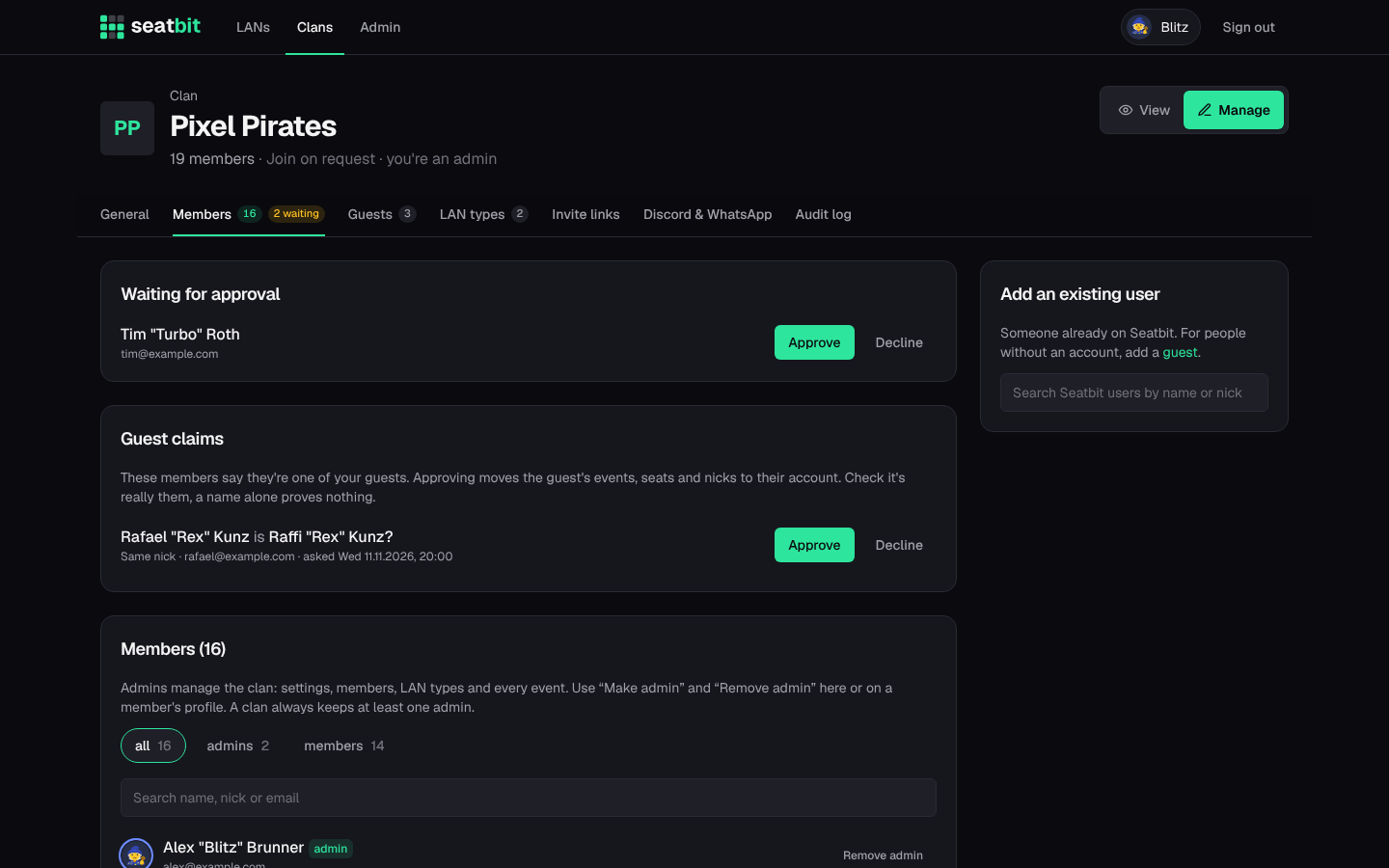
- Waiting for approval: people who asked to join (join mode Approval). Approve or decline.
- Add an existing user: search Seatbit users by name or nick and add them directly.
- Make admin / Remove admin: a clan always keeps at least one admin.
- Remove takes someone out of the clan.
Audit log
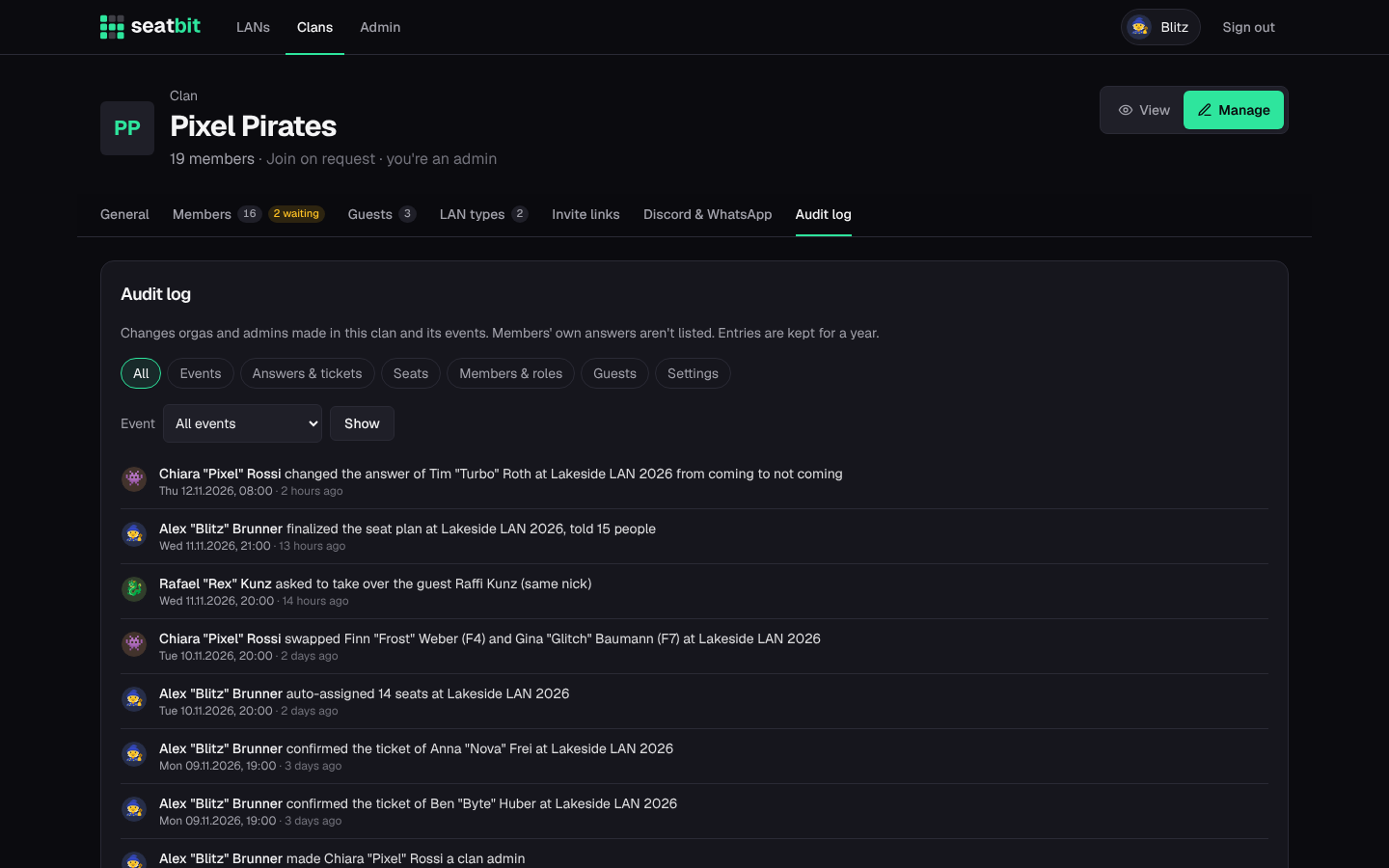
Clan settings → Audit log lists the changes orgas and admins made in the clan and its events: seat moves, swaps, auto-assign and finalizing the plan, changed answers, confirmed tickets, orga and admin roles, join approvals, guest edits, publishing, cancelling and event edits. Filter by kind of change or by event. Members' own answers aren't listed, and entries are kept for a year. Only clan admins see it.
Guests
Clan settings → Guests. Guests are people who aren't on Seatbit yet, e.g. a friend who only comes once a year. Add them with first name, surname and nick, then sign them up for events and give them a seat like anyone else. You can edit their name and nick later.
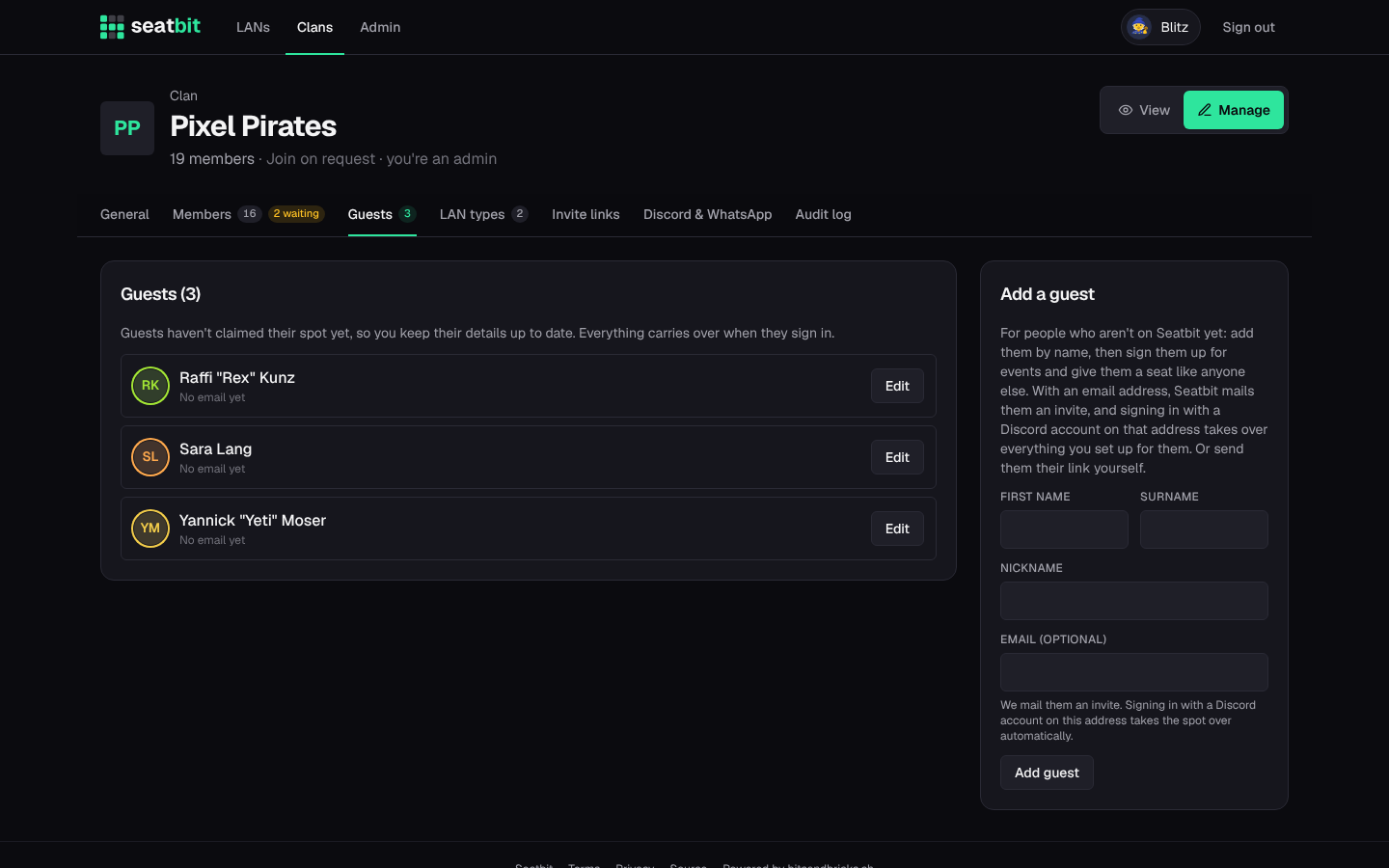
To hand a guest over to its owner:
- enter their email and click Send invite: Seatbit mails them a link. When they sign in with a Discord account that has the same (verified) email, everything you set up for them moves to their account automatically;
- or copy their claim link and send it yourself (WhatsApp, Discord, ...). Whoever opens it and signs in takes the guest over. New link makes the old one stop working.