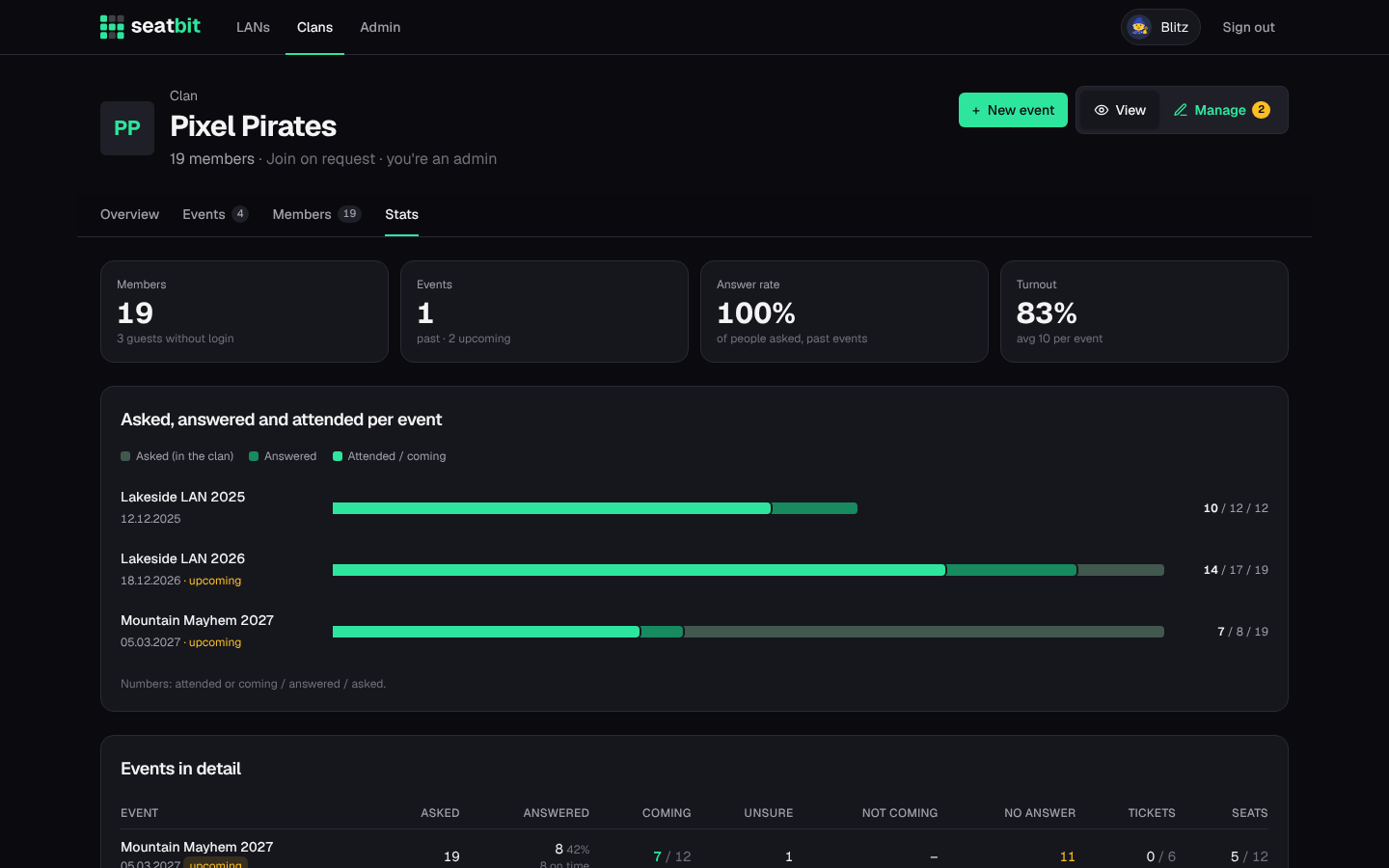
Your clan
A clan is your group: its members, the LAN types you go to every year, the events, and its Discord server. A Seatbit instance can host many clans; each clan only sees its own events.
There are two roles:
- Clan admins manage the clan: settings, members, LAN types and every event of the clan.
- Orgas are set per event. They edit that event, its attendance and seats. Any orga can add co-orgas. Clan admins can always manage every event.
Create a clan
Anyone signed in can start a clan on the Clans page (Start a clan). You become its first admin.
The clan page has View and Manage (for admins), with the tabs Overview, Events, Members and Stats.
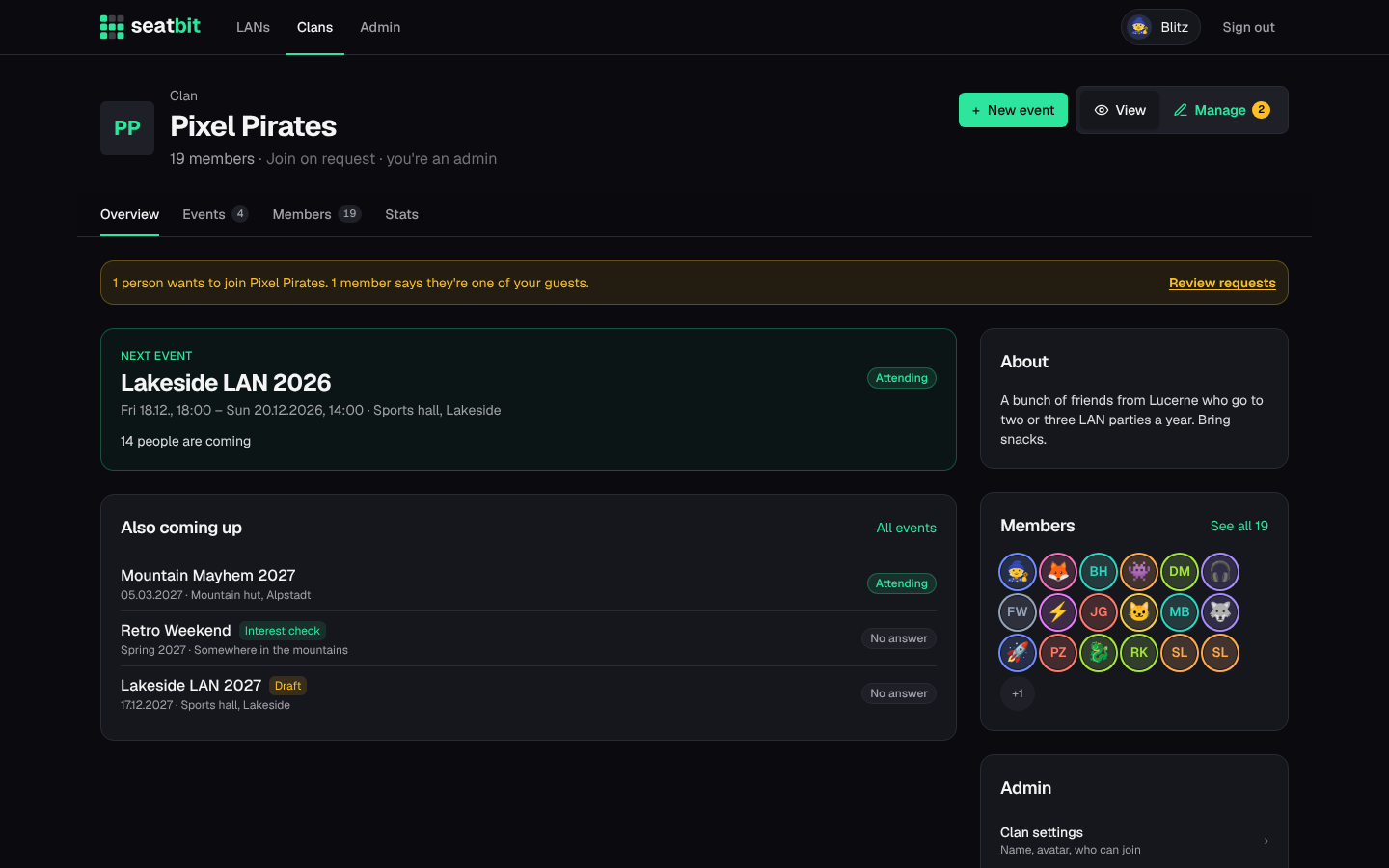
Clan settings
Open the clan and switch to Manage. The tabs:
- General: name, description, avatar, and who can join:
- Approval (default): anyone can ask to join, an admin approves.
- Open: anyone joins directly.
- Invite only: only with an invite link.
- Members: approve join requests, add existing Seatbit users, make or remove admins. See Members and guests.
- Guests: people without an account yet.
- LAN types: templates for the LANs you go to every year (see below).
- Invite links: links that let anyone who has them join as a member. They always work, whatever the join mode. Delete a link to stop it.
- Discord & WhatsApp: connect the clan's Discord server. See Discord and WhatsApp.
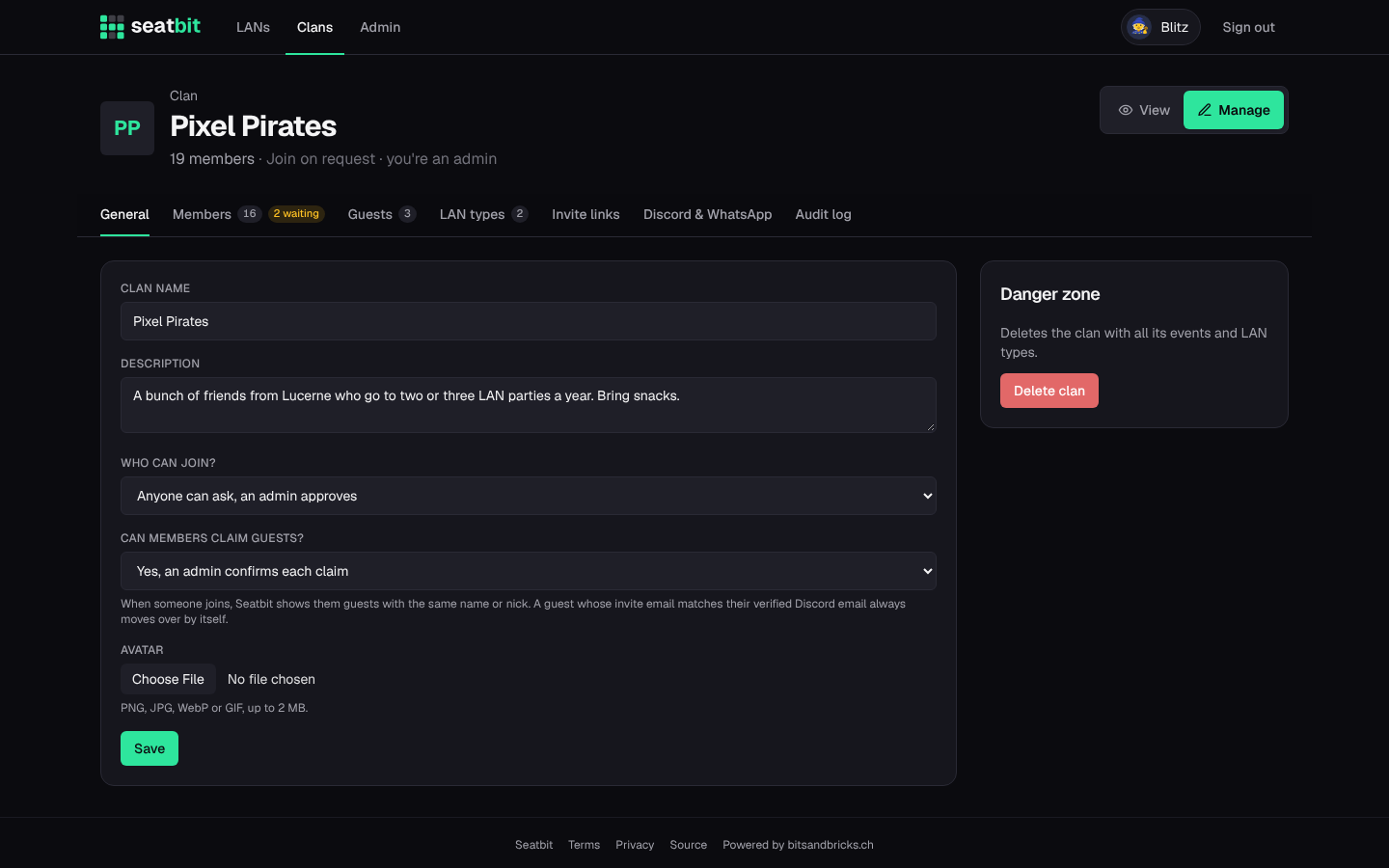
LAN types
A LAN type describes a LAN party you go to regularly, e.g. Lock & Load or SwitzerLAN: location, website, ticket shop, price, how many spots the group usually gets, and the seats you usually get (e.g. F1-F20). New events are created from a type and copy all of this.
Members set a nick and their user ID per LAN type, so they only enter their lal.gg name once, not every year.
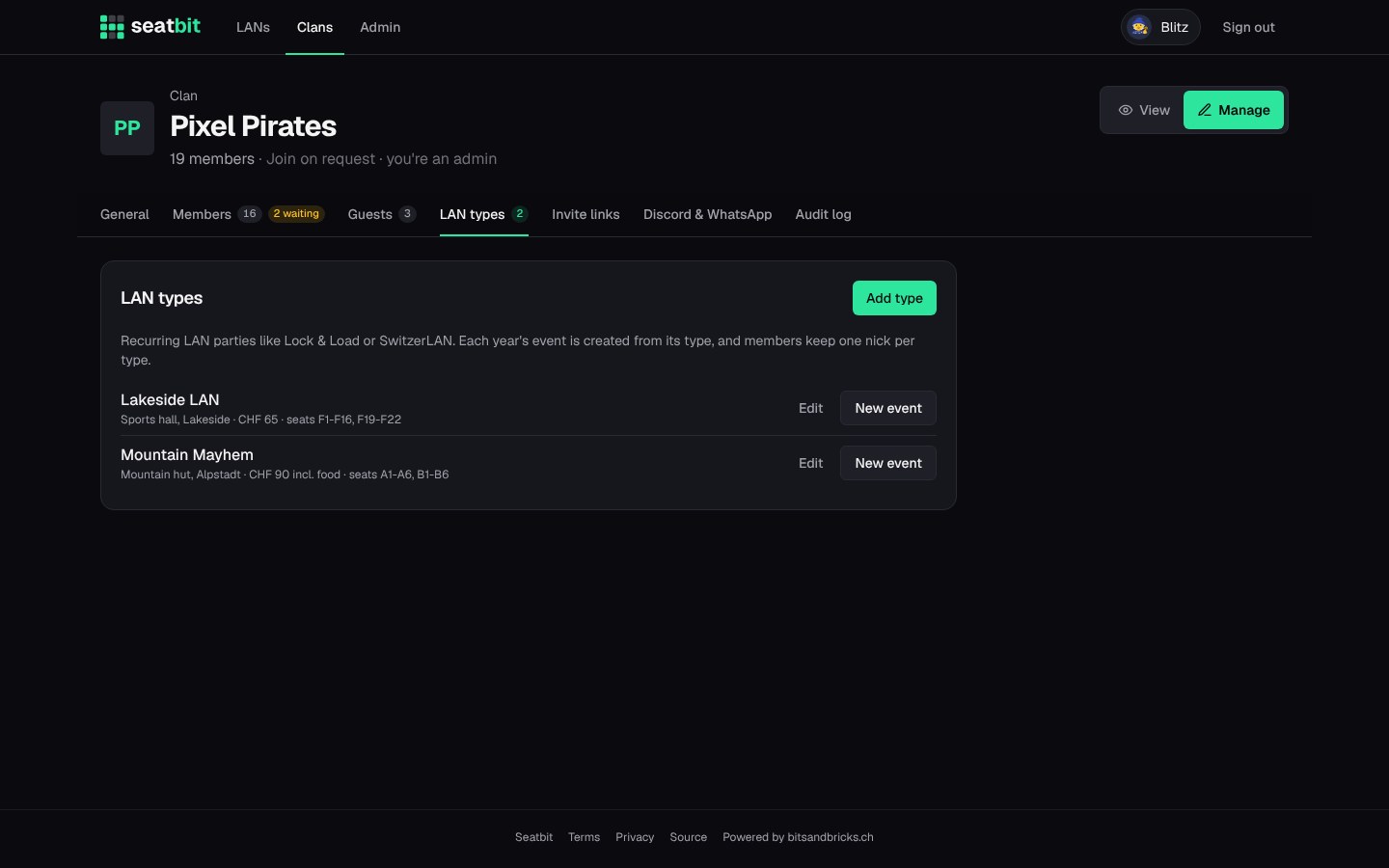
Clan stats
Stats on the clan page shows, per event, how many people were asked, answered and came, ticket and seat numbers, and the answer rate.