Seat plan
Orgas plan seats on Manage → Seats.
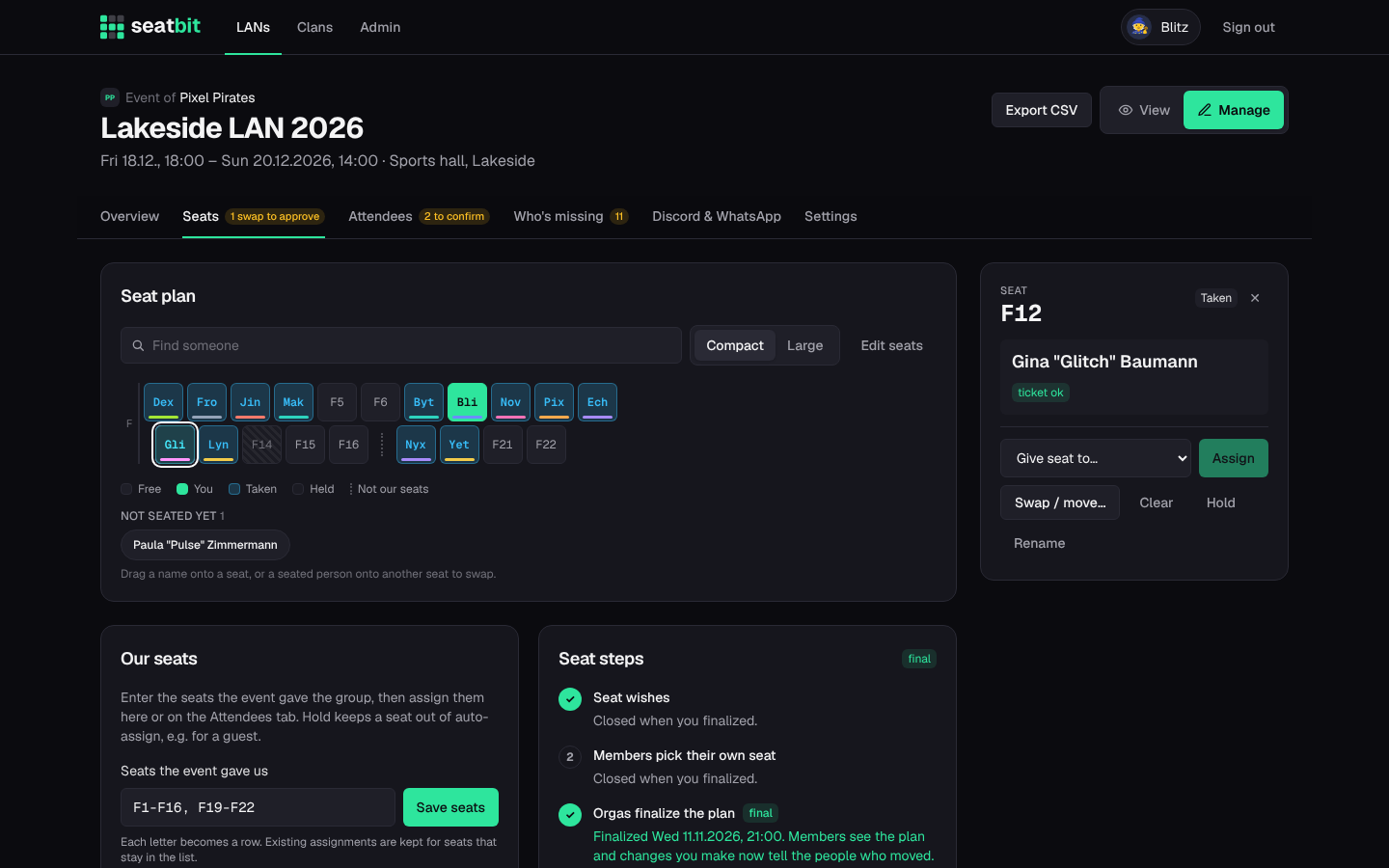
Enter the group's seats
Under Our seats, enter the seats the event gave you, e.g. F1-F16, F19-F22. Each letter becomes a row and each seat sits at its number, so gaps (seats that aren't yours) show as a dotted line. Saving again keeps existing assignments for seats that stay in the list. Edit seats in the map shows every number of a row: tap a dashed one to add it or a seat to remove it.
Assign seats
Tap a seat to open its details:
- Give seat to someone, Swap / move two people, Clear it,
- Hold it (members can't take it and auto-assign skips it, e.g. for a guest),
- Rename it to match the event's numbering.
People who are coming but have no seat are listed under Not seated yet: tap one and then a seat. On desktop you can drag names onto seats and drag seated people onto other seats to swap.
Fill free seats seats everyone without a seat; Re-plan everyone starts over. The planner follows seat wishes (near, not next to, edge or middle, a preferred seat) and seats people with a ticket first.
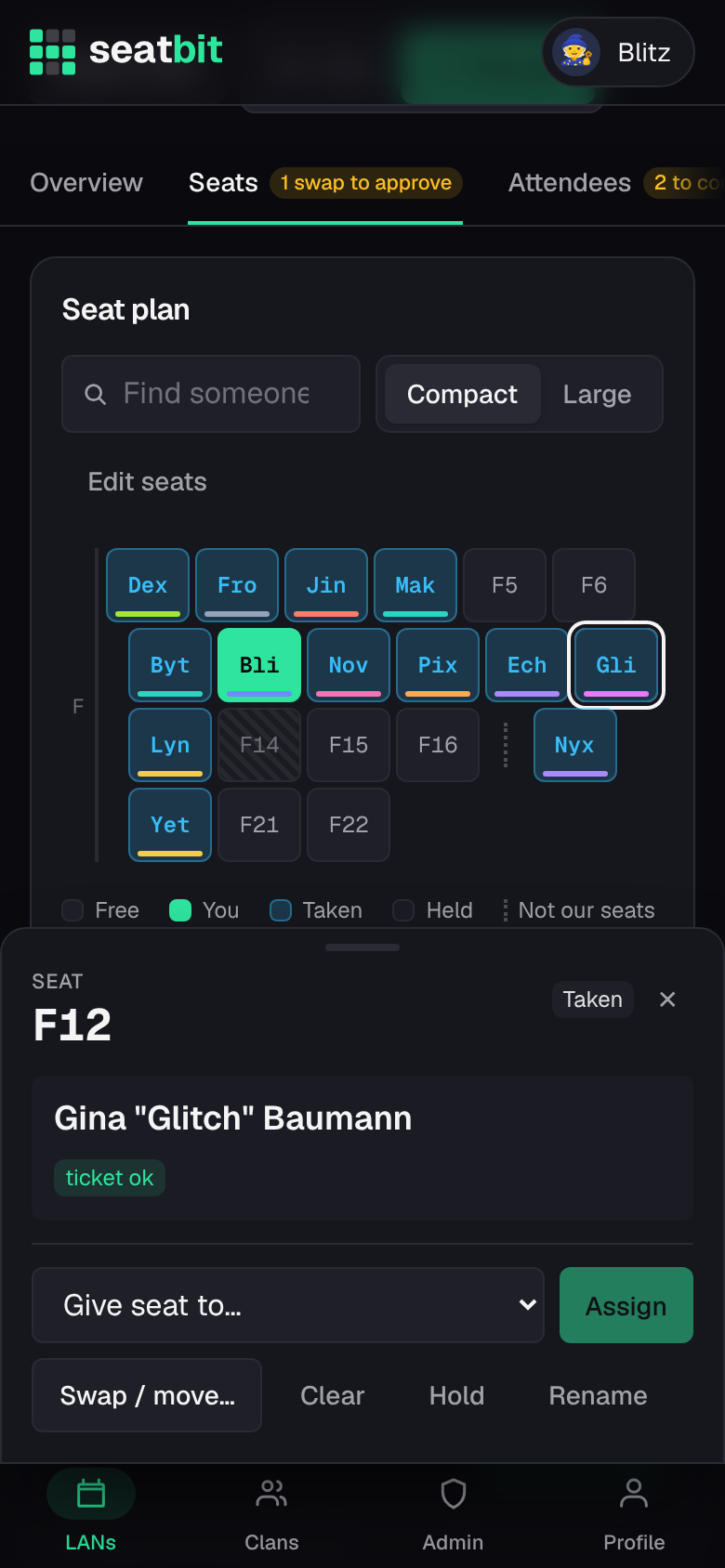
Seat steps
- Seat wishes: members tell you where they'd like to sit.
- Members pick their own seat (optional): turn it on to let members with a ticket take a free seat themselves.
- Orgas finalize the plan: check the plan and finalize it. This closes wishes and self pick, shows everyone the plan and can tell everyone their seat. Changes after that tell the people who moved. Reopen goes back.
Booking on the event site
If the event has its own seat plan link, each member gets a checklist step and a Discord DM to book their seat there once you finalize. The Attendees tab shows who booked (booked on site) and you can remind the rest. A seat change clears the tick.
Seat swaps
After the plan is final, members can ask each other to swap. Once the other person agrees, the swap shows up on the Seats tab for an orga to approve or reject.